Steam region locked keys can look like bargains, but the key may be limited by activation region, play region, publisher rules, or seller terms. Buying a cheap Steam key is only useful if it activates in your country and works under the conditions you expect.
This guide explains how to check a Steam key before buying it. The goal is not to find a workaround for regional restrictions. The goal is to help you understand the restriction before you spend money.
Quick answer: Never rely on a price alone. Check the exact activation countries, any play restriction, the seller’s status, the refund policy, and the payment protection before checkout.
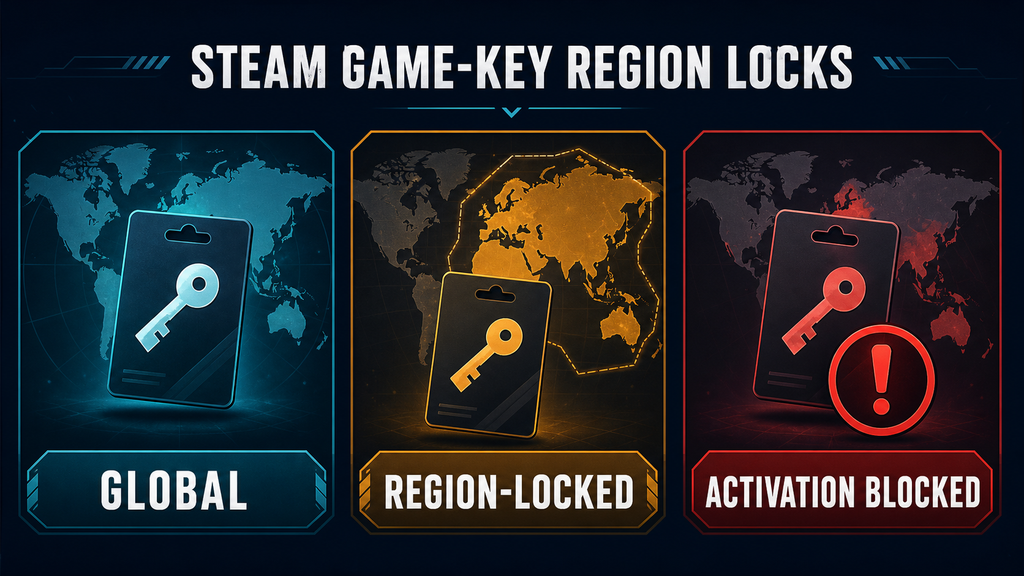
What Is a Steam Region-Locked Key?
A region-locked key is a product key with a geographic restriction. The restriction may prevent you from activating the key, or it may affect where the game can be launched after activation. These are different situations, so read the seller’s wording carefully. Steam’s official regional restrictions guidance explains why product rules can vary by publisher.
Steam states that regional restrictions vary by publisher and that there is no single universal rule for every product key. Steam also directs buyers to the third-party store for issues involving keys purchased there. That means the product page and seller policy are part of the purchase decision—not optional fine print.
Common labels include:
| Listing label | What it may mean | What to verify |
|---|---|---|
| Global / Worldwide | Intended for broad activation | Exact excluded countries and any play restriction |
| ROW | “Rest of world”; the meaning varies by seller | Whether your country is included |
| Region-locked | Limited to named countries or a territory | Activation list and launch restrictions |
| EU / LATAM / CIS / SEA | A regional distribution group | The complete country list, not only the group name |
| Activation blocked | The key cannot be redeemed in your location | Contact route and refund terms |
“Global” is a seller description, not a guarantee that overrides publisher restrictions. If the page does not show the activation countries, treat the offer as unverified.
Activation Lock vs. Play Lock
The two most important questions are:
- Can the key be redeemed on your Steam account?
- If redeemed, can the game be launched from your location?
Some listings describe only the first question. Others mention both activation and play restrictions. Sellers do not always use the terms consistently, so do not infer one restriction from the other.
If the page only says “VPN required,” “activation through another region,” or similar wording, that is a warning sign. Do not assume the key is safe simply because a comment says it worked for someone else.
How to Check Steam Region Locked Keys Before Buying
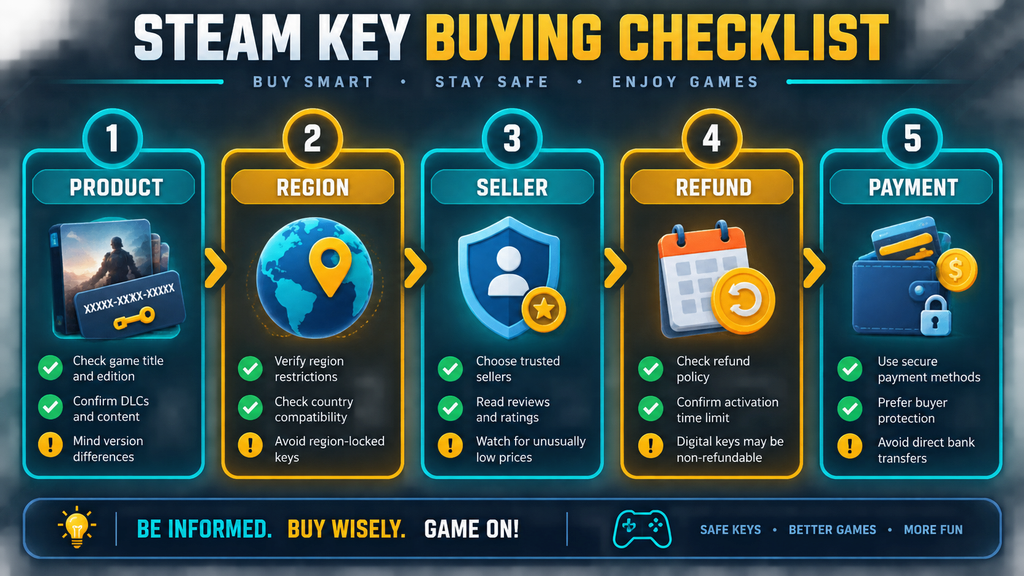
1. Confirm the exact product
Check the game name, edition, platform, and whether the listing includes DLC, a soundtrack, or a bundle. A cheap price can be caused by a different edition rather than a better deal.
Also check whether the product is a Steam key at all. Some pages sell an account, a gift, or access to a launcher rather than a redeemable Steam product key. Those are different products with different risks.
2. Find the country list
Look for a section named Activation details, Region, Restrictions, or Can I activate this? Prefer a complete country list or a clear region checker.
Do not treat a flag icon, “EU,” or “Worldwide” as enough evidence. If your country is not explicitly included, contact the seller before paying or choose another listing.
3. Check for a play restriction
Search the page for terms such as playable only in, launch restriction, can be activated in, cannot be activated in, or time-limited activation. A key may activate successfully and still have a separate launch limitation.
If the seller does not explain the difference, save a screenshot of the listing and ask support a direct question: “Can this key be activated and played from [your country] without a VPN or proxy?”
4. Check the seller and source
An authorized reseller normally explains where its keys come from and provides a clear support and refund process. Comparison services such as IsThereAnyDeal distinguish authorized stores from marketplaces and display regional or DRM information where available.
A marketplace listing is not automatically fraudulent, but it deserves more checking. Look for seller identity, order support, refund conditions, buyer protection, and whether the key is delivered immediately or after manual processing.
5. Read the refund policy before checkout
Many digital-key sellers restrict refunds after a key is revealed. Check whether an activation error qualifies for a refund, how quickly you must report it, and what evidence is required.
Steam generally cannot resolve a third-party key purchase in the same way as a game bought directly through Steam. Keep the order number, listing URL, restriction text, and any error message.
Why You Should Not Use a VPN to Evade a Restriction
Using a VPN or proxy to disguise your location is not a reliable solution. Steam’s terms and support guidance warn against disguising your place of residence to bypass geographic restrictions or pricing rules. An attempted workaround can create account or purchase problems, and it does not change the seller’s refund obligations.
The safer choice is simple: buy a key that explicitly supports your country, or buy the game from Steam or a clearly authorized store. A lower price is not a good deal if it depends on breaking platform rules.
What to Do If the Key Will Not Activate
Follow this order:
- Stop trying random VPNs, proxies, or repeated redemption attempts.
- Copy the exact Steam error message.
- Confirm that the Steam account country and your current location are correct.
- Compare the error with the product’s activation restrictions.
- Contact the seller through the original order page.
- Request a refund or replacement according to the seller’s policy.
- Contact Steam Support if you need help understanding the error, while keeping in mind that the third-party seller normally handles the purchase dispute.
Do not publish the full key in a public forum or send it to an unverified account. A key that has been exposed may no longer be eligible for a refund.
Steam Sale vs. Key Sites: Which Is Safer?
The answer depends on your priority. Steam usually offers the clearest account relationship and support path. A reputable authorized store may offer a legitimate discount. An unknown marketplace may offer the lowest visible price but leave you with more uncertainty about source, region, and refunds.
Use this rule of thumb:
- Choose Steam when the discount is small and you want the simplest support path.
- Choose an authorized reseller when the region, edition, price, and refund policy are all clear.
- Avoid a listing when it hides the country list, requires a location workaround, or makes refund terms difficult to find.
For a broader comparison of buying routes, see our guide: Steam Sale vs Key Sites: Which Is Better for PC Gamers?. For fraud warning signs, read Game Key Scam Signs: 10 Red Flags Before You Buy.
A Five-Minute Pre-Purchase Checklist
Before clicking the payment button, answer all five questions:
- Is this the exact game and edition I want?
- Is my country explicitly included for activation?
- Is there a separate play or launch restriction?
- Is the seller authorized or at least clearly identifiable?
- Can I obtain a refund if the key fails before I reveal it?
If one answer is “I’m not sure,” open the seller’s support page or choose another offer. Five minutes of checking is cheaper than disputing a non-refundable digital key.
FAQ
Can a global Steam key still fail in my country?
Yes. “Global” is a listing label. Publisher restrictions, package differences, or incomplete seller information can still matter. Verify the country list on the actual product page.
Does changing my Steam store country make a key work?
No. Steam says that CD keys and wallet codes do not change your store country. Your store country is tied to your place of residence and the available payment method.
Can I use a VPN to activate a region-locked key?
It is not a safe recommendation. Evading geographic restrictions can conflict with Steam’s rules and may create account or purchase problems. Buy a key that supports your location instead.
Should I buy a key from a marketplace?
Only after checking the seller identity, source information, activation countries, support, refund policy, and buyer protection. A marketplace is not the same as an authorized reseller.
What evidence should I keep after buying?
Keep the order number, product page, region wording, refund terms, seller name, and the exact activation error. Take screenshots before revealing the key when the site allows it.
Bottom Line
The safest Steam-key purchase is not always the cheapest listing. Verify the product, country, activation rule, play rule, seller, refund process, and payment protection before you pay. If a deal depends on a VPN or vague wording, treat the uncertainty as part of the price.